Deck Lite
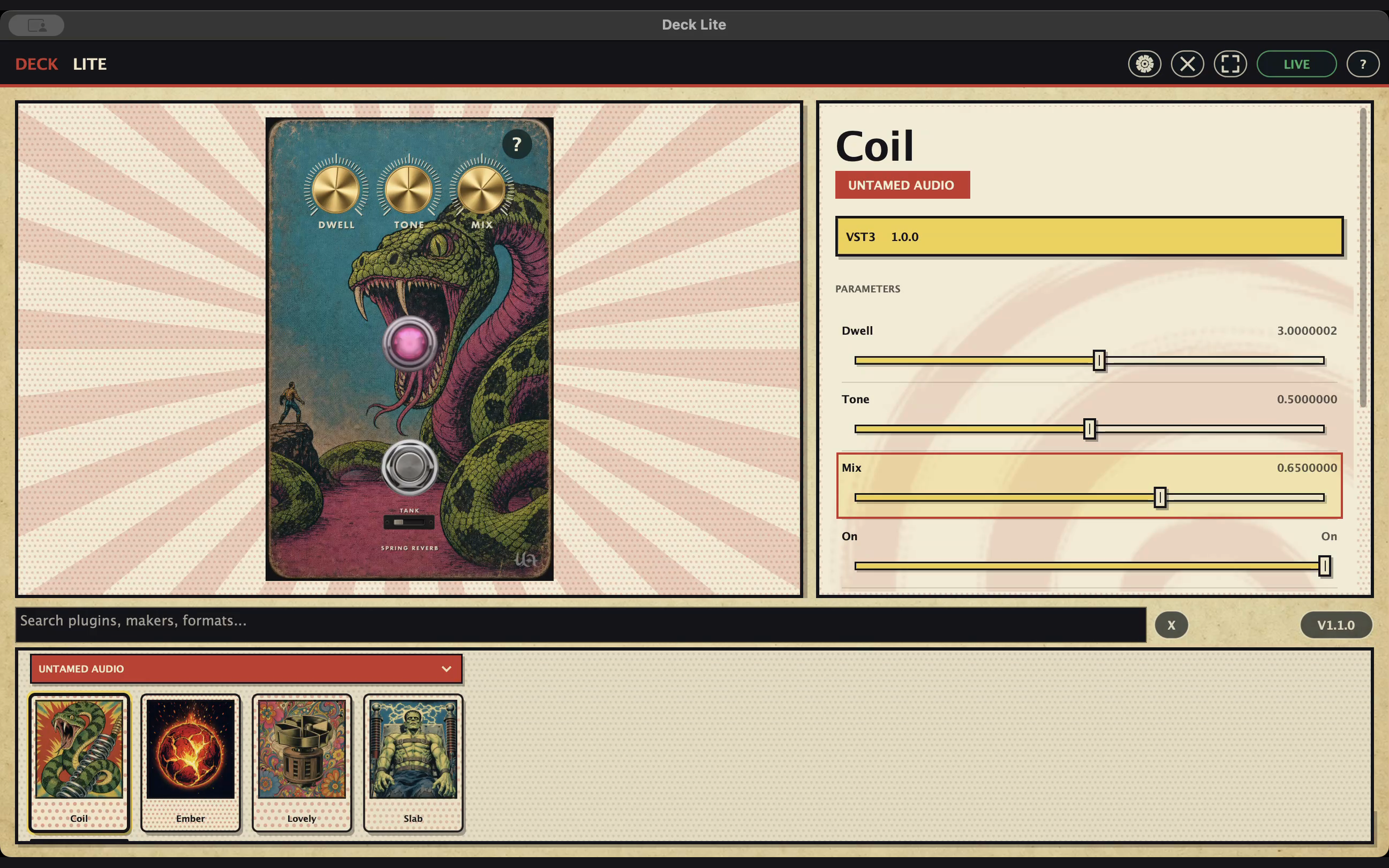
FREEOpen a plugin and play. Deck Lite lets you use your audio plugins without opening a DAW. Choose your audio interface, pick a plugin from the card browser, and start playing.
Apple-silicon Mac · Windows x64 · Linux x64
Free to download and use. Pick a plugin, plug in your instrument, and play.
Latest Mac update: more reliable Audio Unit opening, a live DSP meter, and better plugin sizing and format selection. Mac startup microphone handling is fixed.
From download to sound
- Install Deck Lite. Download the build for your computer, then follow the instructions below.
- Install an effect. Use the plugin maker’s installer. Deck Lite supports VST3 on desktop and Audio Units on Mac. VST2 plugins won’t appear.
- Choose your audio interface. Open Deck Lite’s audio settings and select the input and output you use. Start with your headphone or speaker volume low.
- Pick a card and play. Deck scans installed plugins when it opens. If you just installed a plugin, quit and reopen Deck. The ? button explains keyboard, MIDI and gamepad controls.
Install on Mac
Open the downloaded ZIP and drag Deck Lite into Applications. This build needs an Apple-silicon Mac running macOS 11 or later.
Install on Windows
Extract the whole ZIP to a folder you want to keep, then open Deck Lite.exe inside it. This is an x64 build, tested on Windows 11. The Windows download is not signed, so Windows may show a publisher warning.
Install on Linux
Extract the .tar.gz download. Open a terminal in the extracted folder and run sh install-linux.sh. Deck Lite will appear in your applications menu. The x64 build targets Ubuntu 22.04 or newer and needs X11 or XWayland.
Find a plugin
Your plugins, shown as cards
Deck scans the plugins you already have installed and groups them by maker. Pick a card to open it. On Mac, AU and VST3 versions share a card so you can choose the format you want.
Make some room
Enlarge the plugin when you need to
Use the plugin’s own controls, or Deck’s parameter panel. Enlarge the editor to give it more screen space, then return to the cards to try something else.
Deck fits supported editors to the available space. Editors that can’t resize or scale get a scrollable view.
Keep it simple
One plugin at a time
Lite is for trying an effect, practising, or playing through a favourite plugin. There’s no session to build and no chain to manage. Plugins are installed separately.
Use your controls
Keyboard, MIDI and gamepad
Use fixed MIDI controls on channel 16, or navigate with your keyboard. Compatible gamepads work on Mac, Windows and Linux. The ? button shows all the controls.
What you need
- Mac
- Apple silicon · macOS 11 or later
- Windows
- x64 · tested on Windows 11
- Linux
- x64 · Ubuntu 22.04 or newer · X11/XWayland
- Plugins
- VST3 · Audio Units on Mac · installed separately
- Plugins at once
- One
- Audio
- Choose a compatible audio interface in the app
- Control
- Keyboard and MIDI · gamepad on Mac, Windows and Linux
The price
Linux audio has been tested on Ubuntu with a Volt 476P. Other setups still need testing. See the download page for build details and known limitations.
Support
Report a problem or suggest a change →
Use Deck Lite with the plugins and audio interface you use. If something crashes, sounds wrong, or is awkward to use, let us know. Include your operating system, Deck version, plugin name and what you were doing.
iPhone and iPad builds are being tested separately and aren’t included in the desktop downloads.